Conceptos básicos
Usuarios
Para interactuar con QFieldCloud, necesita ser un usuario registrado. Cada usuario puede crear, modificar y eliminar proyectos y organizaciones.
Organizaciones
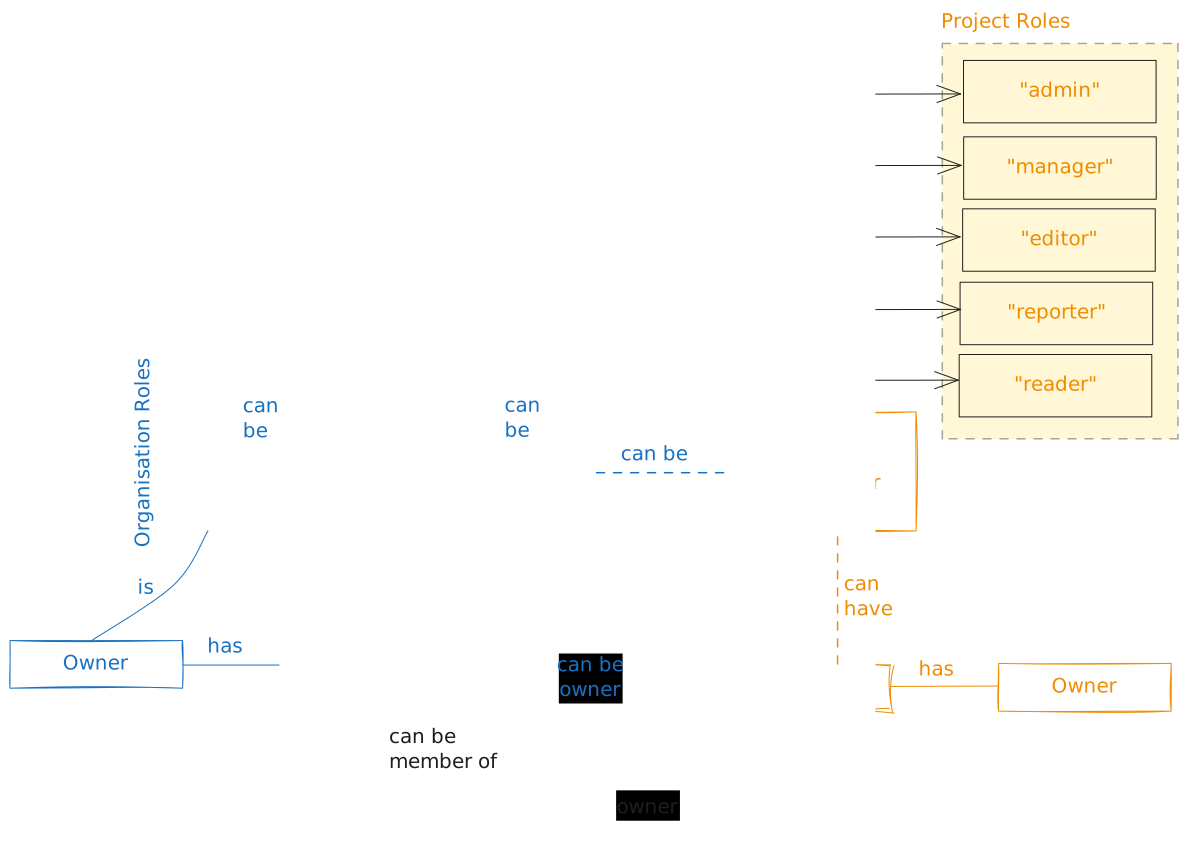
Las organizaciones son cuentas compartidas donde varios usuarios de QFieldCloud pueden colaborar en varios proyectos simultáneamente. Los propietarios y administradores pueden gestionar el acceso de los miembros a los proyectos de la organización con sofisticadas funciones de seguridad y administración. Cualquier usuario de QFieldCloud puede ser propietario o participar en una o más organizaciones. Cada organización es propietaria de uno o más proyectos.
Miembros de la organización
La membresía de la organización permite acceder a los proyectos dentro de ella. Los miembros con roles de propietario o administrador pueden agregar a otros miembros.
Equipos de la organización
Teams allow organization members with an owner or admin role to easily assign permissions to multiple users at once. A team consists of one or more organization members within the organization. When a team is assigned a role in a project, all the team members automatically have that role too. Teams can be added as collaborators only to projects owned by the same organization. One organization member can be part of multiple teams. If an organization member is a project collaborator directly or through multiple teams, that organization member has the highest possible role.
Proyectos
Projects are the main data container within QFieldCloud.
Each user can create one or more QFieldCloud projects.
Each project contains a single .qgs/.qgz QGIS project file, the geospatial files - GeoPackages, Tiffs, and additional data such as photos, PDFs etc.
All project data files must be within a single QFieldCloud project.
Read more about QFieldCloud Projects.
Project Types
QFieldCloud projects can be assigned one of three project types:
| Project Type | Primary Purpose | Field Sync / changes | Packaging Jobs | Can be Cloned? |
|---|---|---|---|---|
Regular (regular) |
Active fieldwork projects used for data collection. | ✅ Permitiido | ✅ Permitiido | ✅ Yes |
Template (template) |
Master blueprints used to configure setups once and clone them for new survey campaigns. | ❌ Blocked | ❌ Disabled | ✅ Yes |
Shared Datasets (shared_datasets) |
Dedicated central project hosting shared base layers and localized datasets across projects. | ❌ Blocked | ❌ Disabled | ❌ No |
Regular Project
A regular project is any project which used for the day to day fieldwork. This is by default the project type you should use if you wish to work in a collaborative environment. Users can manipulate the data, upload and synchronize as well as copy the project to their desktop devices.
Template Project
Projects of type template act as read-only projects for field workers while remaining fully editable for administrators:
- Master Project: Project administrators can upload files, edit QGIS configurations, and update layers on a template project.
- Data Protection: Field workers cannot package projects that are marked as a template.
Attempting to do so will return an error (
operation_not_allowed_for_template_project). - Cloning Source: Both Regular and Template project types can be used as sources for cloning new projects.
Flujo
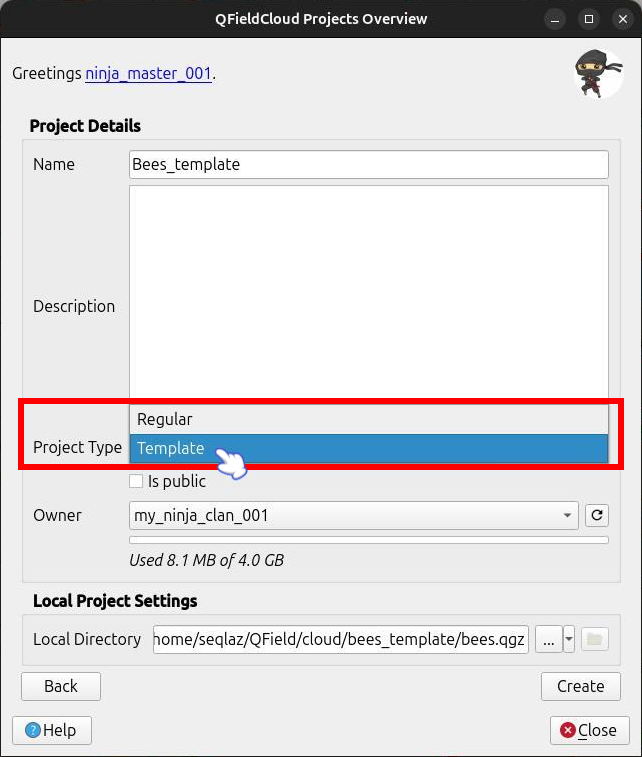
When creating a project in QFieldSync, change the project type to Template if you want it to be used as a template.
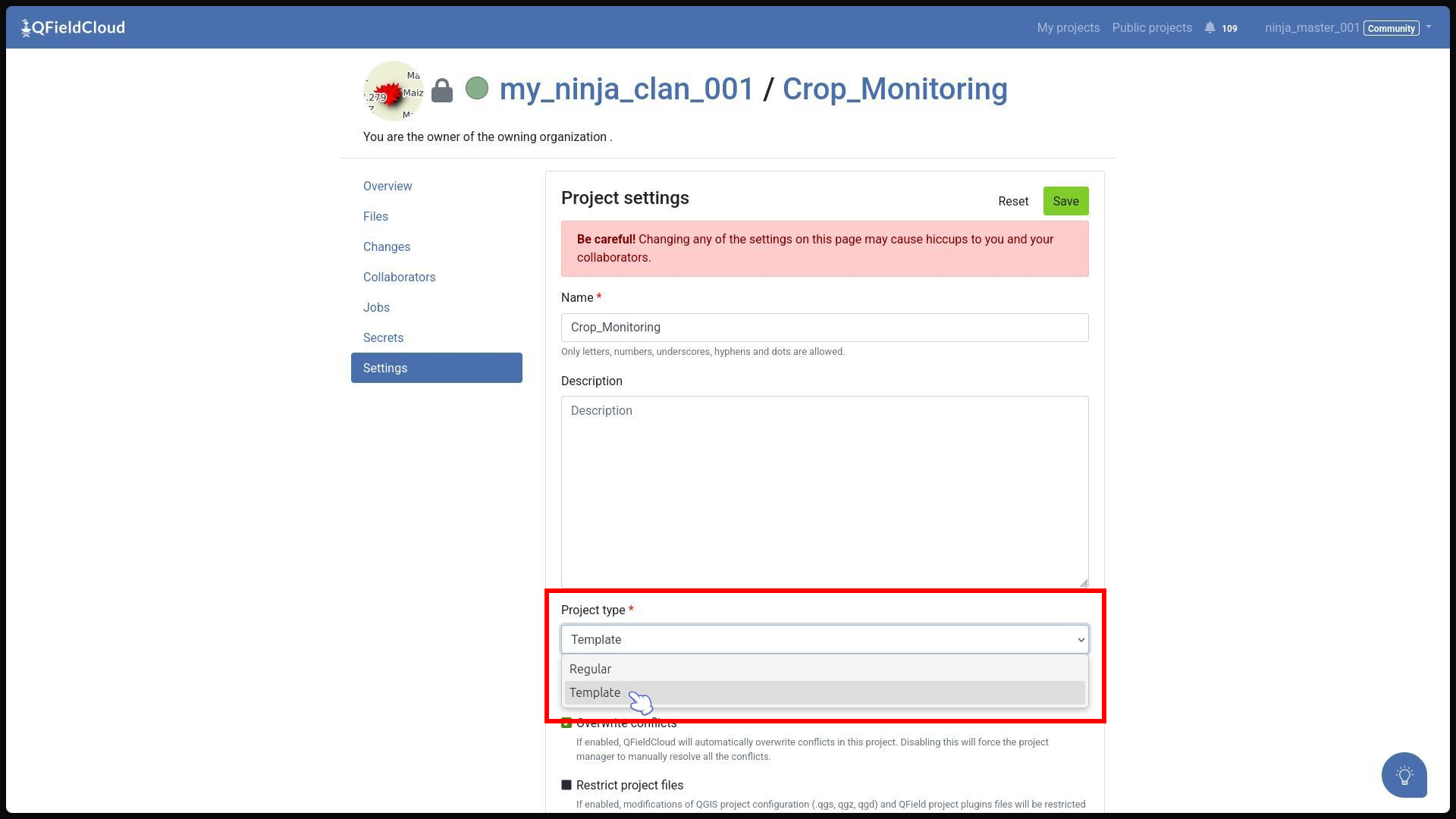
To designate a project as a template (when already exist in QFieldCloud), navigate to the project's Settings section and change the Project Type dropdown to Template.
Shared Datasets Project
If you repeatedly use the same layers in multiple projects across your organization, you may want to consider using shared datasets. These are projects that act as a separate project to which the shared datasets are uploaded. Despite being visible in your QGIS project, they are not part of the synchronization.
Colaboradores de proyecto
A project collaborator is another QFieldCloud user invited to contribute to a project.
One project may have multiple collaborators.
Collaborators can have the roles Admin, Manager, Editor, Reporter, and Reader.
Only users with the roles of Admin and Manager can add more users as collaborators to the project.
If the project is owned by an organization, whole teams (e.g. @organization/team) can also be added as collaborators.
Read more about collaborator roles.
Adding collaborators to a project
Preparación en escritorio
In order to add users to your projects, they need to be part of your organization. You can add collaborators to your projects under app.qfield.cloud in the corresponding project page.
Flujo
- Direct to the project overview page > collaborator
- Add the desired user or teams.
Note: You can add up to 20 users/teams at once. Collaborators must first be a Member of the Organization.