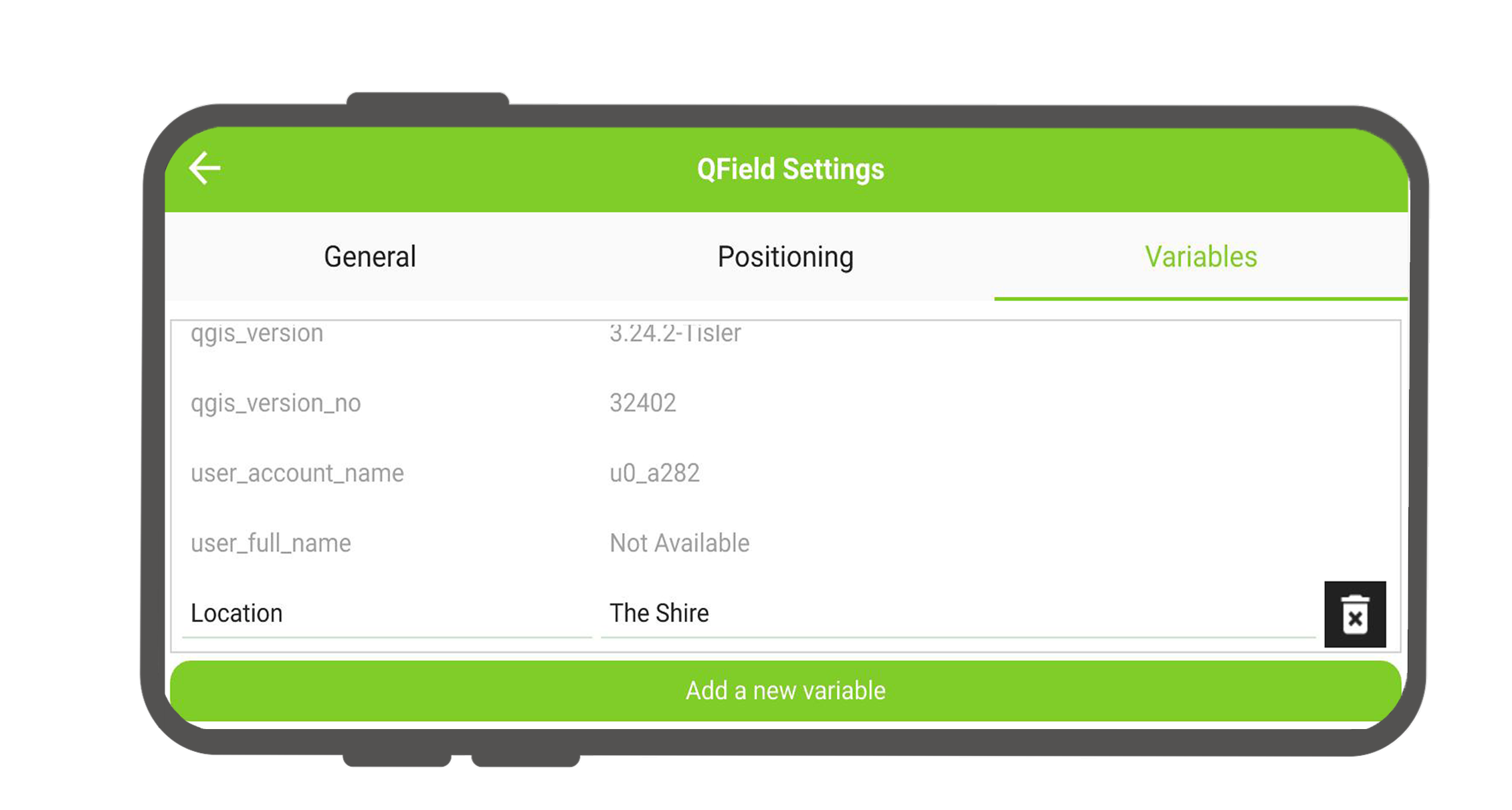
Variables
QField supports creating and editing QGIS expression variables. Variables can be used for data-defined symbology, default attribute values, print layout controls, dynamic feature labels, and application behavior settings. Read more in the QGIS Variables Documentation.
QField supports two types of custom variables:
- Project Variables: Bound to specific QGIS project files (
.qgsor.qgz). - Global Variables: Application-wide variables defined locally on mobile devices.
Project Variables
Project variables are defined and managed inside QGIS project properties on your desktop computer. Project variables store custom values relevant to specific projects. QField users can edit project variables on mobile devices, and modified values persist across app sessions.
Global Variables
QField includes pre-configured, read-only system variables accessible under Side Dashboard > Settings > Variables. Custom global variables can be added or modified in QField and remain available across all local projects on the device.
Note
Read-only system variables vary depending on device platforms and hardware specs. These reflect the global variables available in the QGIS release used to build the installed QField version.
Variable Management in QField
Manage variables on your mobile device to share custom values across all QField projects. Access the variables list under Side Dashboard > Settings > Variables for a consolidated view of all available variables.
Variable Configuration
Feldarbeit
Workflow
- Open the Side Dashboard and tap the gear icon to open Settings.
- Switch to the Variables tab to view all applicable variables.
- Tap Add a new variable at the bottom of the list.
- Enter a variable name and value, then save your changes.
Useful Examples
Common expression variables used in field workflows include:
@cloud_username: Captures the username of the active QFieldCloud account.@qgis_locale: Retrieves the current system language code set in QField or QGIS.
Tip
If you do not use QFieldCloud, create a custom global variable (such as @user_id or @field_worker) on each device to record user identifiers in feature attribute forms.