Als PDF-Datei drucken
Über die in QGIS konfigurierten Projektdrucklayouts ist es möglich, fertig gestaltete Karten als PDF zu exportieren.
Verwendung
Feldarbeit
Printing to PDF is available through QField's main menu bar in the side "Dashboard".
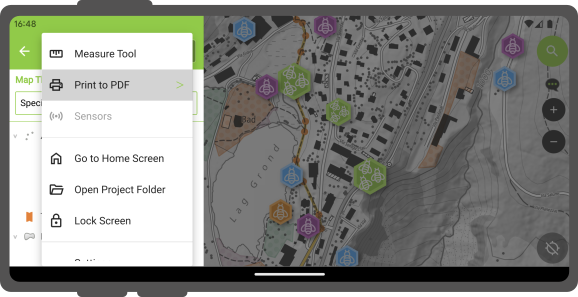
If the opened project has a single print layout defined, selecting the "Print to PDF" menu will immediately launch an export of the layout to PDF. If more than one print layout is present, a submenu will appear listing all the available layouts to choose from.
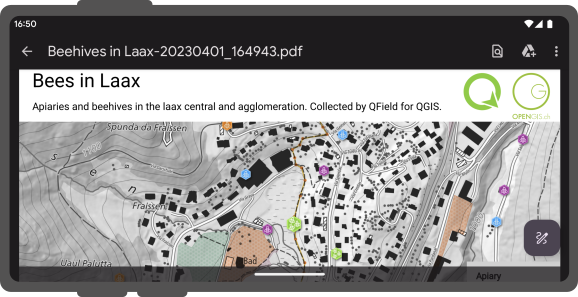
Sobald das Drucklayout exportiert wurde, ermöglicht QField den Benutzern, das erstellte PDF-Dokument zu öffnen und zu betrachten.
Funktionsgesteuerter Atlas-Druck
You can also print an atlas-driven layout by selecting features from vector layers acting as coverage layers. To do so, identify features on the map by tapping on the canvas and hold-press on a feature in the list to toggle the (multi-)feature selection mode. Once the desired features are selected, click on the 3-dotted menu (⋮) button and select Print Atlas Feature(s) to PDF.
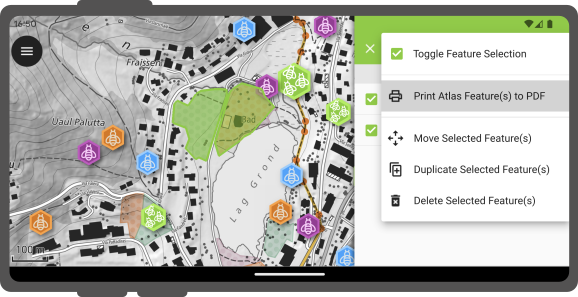
It is possible to print a single atlas feature through the feature form by clicking on the 3-dotted menu (⋮) button and selecting the Print Atlas Feature to PDF.